
LaTeX has always offered a number of math fonts, some more specialized than others. One such example is blackboard bold, also known as double-struck.
Blackboard bold letters are used for mathematical objects such as sets or matrices. You can find examples in the Unicode standard (U+1D538–U+1D550 for uppercase letters, with some capitals in Letterlike Symbols; U+1D552–U+1D56B for lowercase letters; U+1D7D8–U+1D7E1 for digits), and they’re available via multiple font packages.
Let’s begin by showing you how to use the uppercase blackboard bold alphabet that comes with LaTeX’s classic packages. In addition, I’ll offer several alternatives should you need lowercase characters.
Uppercase blackboard bold with amssymb
In a typical article-class document, you’d load the amssymb package and use it in math mode:
\documentclass{article}
\usepackage{amssymb}
\begin{document}

$$

\mathbb{R} \quad \mathbb{N} \quad \mathbb{E}

$$

\end{document}
You can see that the uppercase blackboard bold alphabets R, N, and E appear in the final document. However, note that this particular font doesn’t support lowercase Latin letters or digits inside the same command.
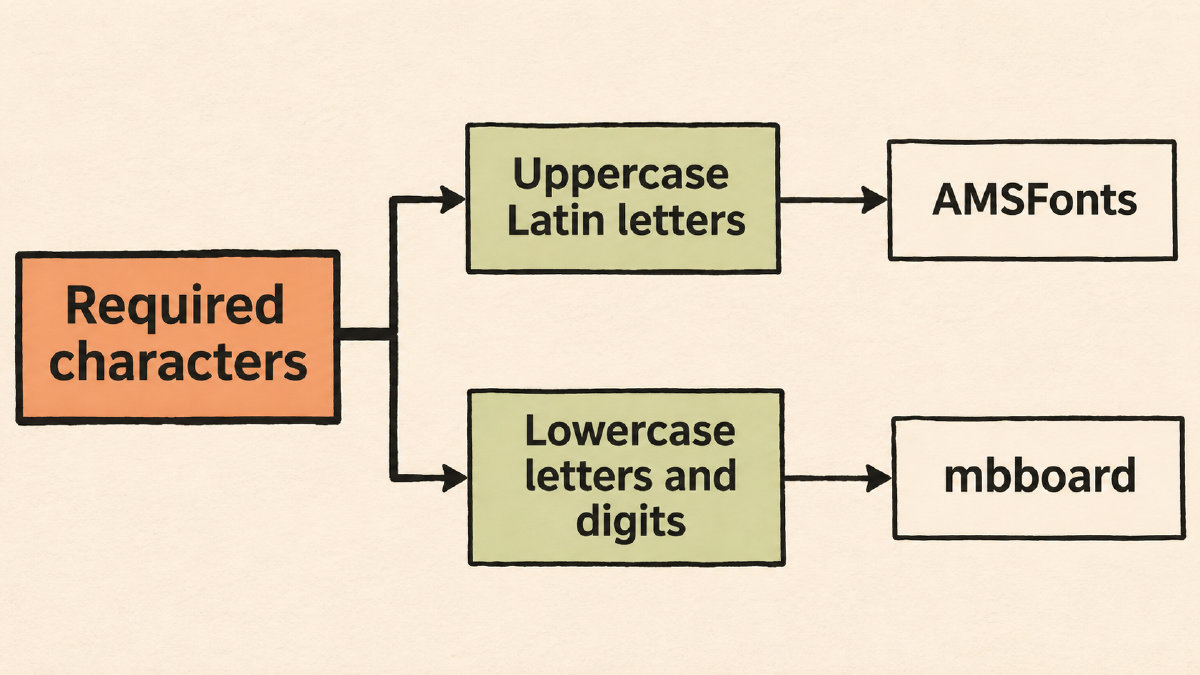
That’s because the AMSFonts version of the \mathbb command includes only uppercase Latin letters. If you want to display lower case letters or digits, then those characters would fall outside that coverage, so they would not render correctly.
For example, if you wanted to write a lowercase blackboard bold r, you might think of writing something like \mathbb{r}. But since that doesn’t fall within the character coverage of the current font, you’d get an error message instead.
Instead, there are alternative methods that allow for greater coverage, depending on what exactly you need to display. The first two examples below use different approaches, but both pair each preamble declaration with its own math-mode command.
2012 LaTeX.org Examples
Both examples below demonstrate just one character, placing them into separate documents using an article-class layout. In both cases, however, the font commands appear as a standalone element, meaning that neither of these packages actually extends the range of available glyphs beyond their documented character coverage.
As a result, the demonstration below places the individual glyph at the center of the displayed page, rather than displaying the entire alphabet. This approach makes the demonstration specific to that character alone.
Example 1: \usepackage{bbm}
Below is an excerpt of Stefan Kottwitz’s 2012 LaTeX.org forum answer, where he recommended the package bbm. Within that section, the following example is given:
$$
\mathbbm{1}
$$
Example 2: \usepackage{dsfont}
Again, here is an excerpt from the same 2012 LaTeX.org forum answer, this time featuring the dsfont package:
$$
\mathds{1}
$$
Note that neither of these two examples actually extend the range of available glyphs beyond the documented character coverage.
A broader alphabet with mbboard
If you do need a broader alphabet that supports both uppercase and lowercase Latin letters, including ligatures, and digits, the mbboard package may be worth investigating. The documentation states that it provides several maths-Greek and Hebrew letters in math mode.
However, there’s another distinction that should also guide your choice of blackboard bold fonts. Some of the symbols that we’ve discussed thus far simply resemble boldweight letters. It’s important to remember, however, that blackboard bold uses doubled strokes — not upright bold weight. Vectors, for example, are usually typeset in upright boldweight, while blackboard bold uses a different technique altogether.
So while the choice between any of these three font families may be dictated by the style of notation that you’re attempting to replicate, none of them can be treated interchangeably.