
LaTeX, as you probably know, has traditionally offered the Computer Modern font collection, a typographically elegant collection whose best-known roman face is serif that Donald E. Knuth himself crafted. In many ways, it’s a work of art. And yes, even if some think it’s “too” serif-like, Computer Modern was a deliberate aesthetic choice.
However, what happens when you want diacritics beyond those supported by Computer Modern? What about support for scripts like Vietnamese or other European scripts? The traditional solution to this problem is to switch to a different font, but which one?
One option is to use Latin Modern. It’s a font collection designed to be more broadly useful than Computer Modern, supporting an extensive set of Latin diacritical characters used in a variety of languages, from Czech to Slovenian. If you are looking for a broad coverage of the diacritic repertoire rather than a single design language (as with Computer Modern), then Latin Modern may be your answer.
A word of caution: Don’t confuse the Latin Modern fonts with a separate font family. Rather, they’re a continuation of Donald Knuth’s original Computer Modern, and are used in conjunction with them. As you’ll see below, there’s also an associated set of math fonts that complement them. However, I’m going to limit my discussion here to just the Latin Modern fonts.
You’ll find Latin Modern fonts within TeX distributions like TeX Live, MiKTeX, and W32TeX/gwTeX.
What Is the lmodern Package?
The lmodern package provides access to the Latin Modern font collection. The lmodern package is not installed by default on many TeX distributions. However, the font collection itself is available as part of many TeX distributions. You can load the package either by including it within the document’s preamble (which I recommend) or by simply ensuring that the appropriate font files are present on your system. Either way, it requires careful installation procedures.
In practice, most people install lmodern using the package-based approach (i.e., by installing it through the relevant distribution’s package manager). On the other hand, some installations offer access to the fonts themselves; in those cases, you can simply include them without needing to install anything additional. (Note, though, that this still requires the PostScript fonts and TeX metric files to be installed and properly mapped.)
As we’ll see, however, there’s another caveat related to the lmodern package: When combined with LaTeX’s ability to scale text sizes automatically, it may produce incorrect sizing results when used with scalable Math Extension (a.k.a. Computer Modern Math) fonts. That said, this issue isn’t universal. Instead, fixcmex provides a specific remedy that addresses issues linked to scaling Computer Modern fonts. But you don’t need to worry about this unless you specifically require scalable versions of Computer Modern fonts. In general, you should keep lmodern when you’re using the Latin Modern font collection and T1 pdfLaTeX. Otherwise, don’t add it.
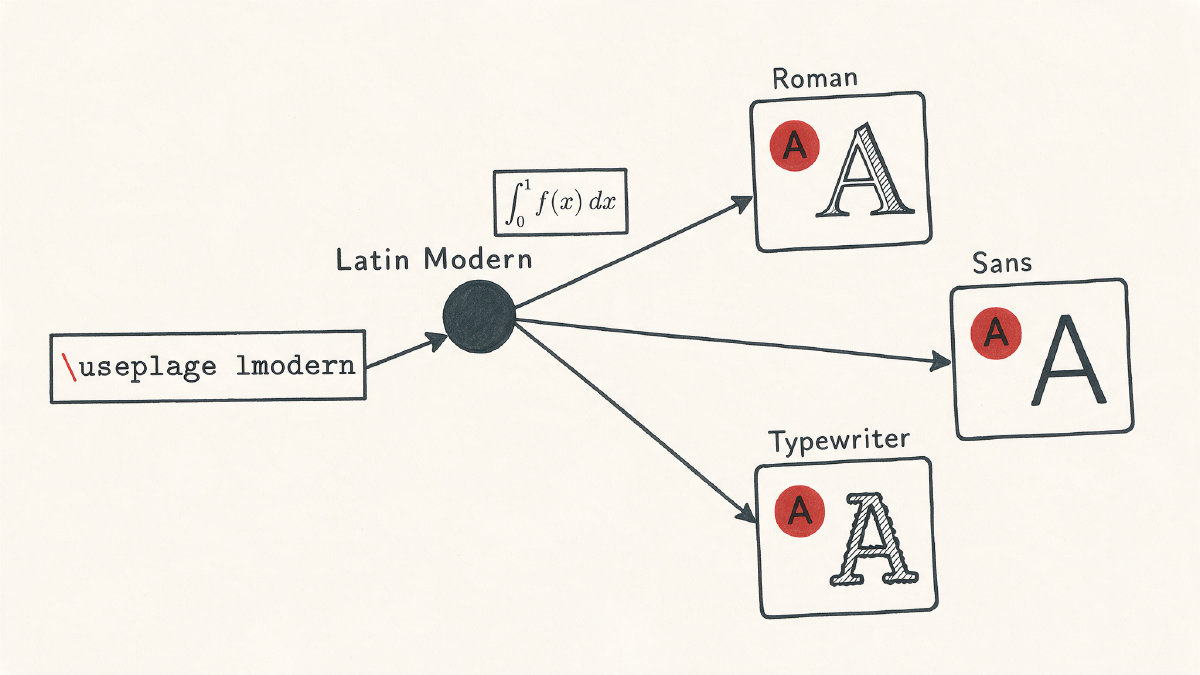
Minimal Traditional LaTeX/pdfLaTeX Setup
Let’s begin with the simplest possible traditional LaTeX/pdfLaTeX setup, which selects Latin Modern Roman:
\documentclass{article}
\usepackage{lmodern}
\usepackage[T1]{fontenc}
\begin{document}

This is Latin Modern Roman.

\end{document}
There are two lines in the above example: \usepackage{lmodern} selects the Latin Modern fonts, and \usepackage[T1]{fontenc} tells pdftex (pdfLaTeX) to select the T1, or Cork, text encoding.
You’ll typically see these two lines in a traditional LaTeX workflow, along with their LaTeX counterparts. In our case, both are included so that you can compile the above code with either LaTeX or pdfLaTeX.
If you choose instead to build the file using LuaLaTeX or XeLaTeX, you can skip the \usepackage{lmodern} line (or replace it with something else), because they provide their own mechanisms for selecting fonts.
The Scope of the Latin Modern Collection
The Latin Modern font collection contains a number of fonts, all of which are based upon Donald E. Knuth’s classic Computer Modern font collection. This includes a large variety of fonts — 72 text fonts and 20 math fonts, according to its documentation — all derived from the original.
These fonts are divided into the following categories:
lmss – A sans-serif variant.
lmtt – A typewriter variant.
roman – Regular.
sans-serif – Sans-serif variants.
typewriter – Typewriter variants.
They’re published with MetaType1 sources and distributed as PostScript fonts with TeX metrics; they also have equivalents in OpenType and TrueType. In addition, the package provides scalable variants of the Computer Modern font extension (also called the Computer Modern Math font) to ensure compatibility across a variety of environments.
Changing the Document Default
Once you’ve loaded lmodern, changing the default family is a relatively simple matter. The ordinary roman family, which corresponds to a normal paragraph, is the default. If you’d prefer to typeset your whole document in sans-serif, for example, you could do so using:
\renewcommand*{\familydefault}{\sfdefault}
Similarly, you can make your whole document typeset in typewriter font using:
\renewcommand*{\familydefault}{\ttdefault}
Where sfdefault and ttdefault correspond to the respective family names for the sans-serif and typewriter families.
Available Font Formats
Traditional TeX distributions usually make the lmodern package available as well as the fonts themselves, but there are exceptions to this. For instance, if you choose to run with a PDFLaTeX engine, the package-based approach to installing lmodern will likely work fine. However, if your TeX setup omits the package, you’ll likely need to install it through the distribution’s package manager or make the accompanying PostScript fonts and TeX metrics available manually.
Alternatively, some TeX distributions will already include the appropriate font files. If they do, then you can typeset your document using the standard lmodern method and not worry about the fonts at all. However, the presence of the actual font files doesn’t imply that your LaTeX setup will select them automatically; the package line is what makes the usual font mappings active.
Otherwise, the only way to get started is to include the lmodern package within the preamble.
Sizing Issues with lmodern
When combined with LaTeX’s ability to scale text sizes automatically, lmodern may produce incorrect sizing results when used with scalable Computer Modern Math fonts. In short, LaTeX scales fonts depending upon the size of the text you specify. So, when you write a paragraph using small letters, it knows to scale down the lettering appropriately. When using larger typefaces, the text should also be scaled up accordingly.
In theory, the lmodern package handles all of this correctly. However, if you use any version of LaTeX that supports scalable math fonts, there’s a possibility that you’ll run into problems. The best known solution to this problem is to use the fixcmex package.
While fixcmex is commonly associated with the use of scalable math fonts (and thus the Computer Modern Math Extension fonts), the package is a specialized solution, and shouldn’t be presented as a universal companion package to lmodern.