
How to Insert an Equation in PowerPoint
By imagetolatex team · Published
In PowerPoint for Windows or Mac, click inside a text box and choose Insert > Symbols > Equation (or press Alt+=); the Equation tab opens with the same tools as Word. PowerPoint for the web has no Equation button, so there the practical route is inserting the formula as an image.
2. Ink Equation (handwriting)
Open the arrow under Insert > Equation and choose Ink Equation. Write the formula with a mouse, pen or finger; PowerPoint shows its interpretation above the writing area. Fix misread parts with Erase or Select and Correct, then click Insert. The result is an editable equation.
3. As an image (PowerPoint for the web, or any version)
If the Equation button is missing, you are probably in PowerPoint for the web, which does not have it. Render the formula as an image instead: write the LaTeX in LaTeX to PNG, keep the background transparent, download a PNG (or an SVG, which stays sharp when resized) and add it with Insert > Pictures.
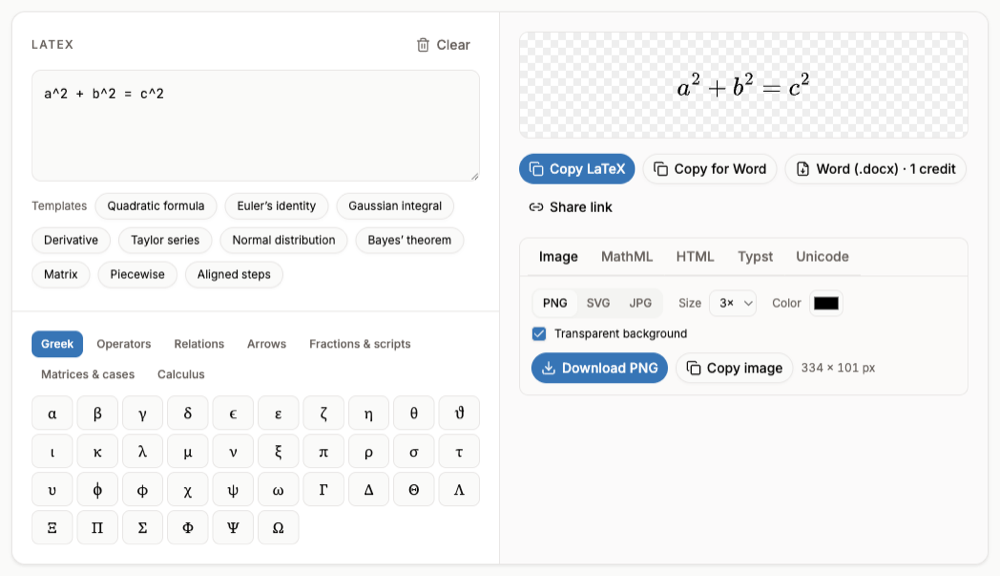
An image cannot be edited as math later. Keep the LaTeX (the tool's Share link stores it in the link) so you can change the formula and download it again.
FAQ
- Why is there no Equation option under Insert?
- PowerPoint for the web does not support equations. Open the file in the desktop app, or insert the formula as an image.
- Can I paste LaTeX into a PowerPoint equation?
- Not as LaTeX; PowerPoint reads UnicodeMath. Build the equation in Word with LaTeX input and copy it to the slide, or use a PNG/SVG image.
- How do I make the equation bigger?
- Select the equation box and change the font size on the Home tab, like any text.
- Can I animate parts of an equation?
- Animations apply to the whole text box. Split the parts into separate text boxes if you want them to appear one by one.