
How to Write LaTeX in Markdown
By imagetolatex team · Published
Most Markdown editors that support math use the same syntax: put inline math between single dollar signs, $E = mc^2$, and display math between double dollar signs on their own lines, $$ … $$. GitHub, Jupyter, Obsidian and VS Code render it with MathJax or KaTeX; plain Markdown viewers show the dollar signs as text.
The syntax
The roots of $ax^2 + bx + c = 0$ are

$$
x = \frac{-b \pm \sqrt{b^2 - 4ac}}{2a}
$$GitHub also accepts a fenced block with the language math, which avoids clashes with other Markdown rules.
Where it renders
| Tool | Inline | Display | Renderer |
|---|---|---|---|
| GitHub (README, issues, wikis) | $…$ | $$…$$ or a math code block | MathJax |
| Jupyter notebooks | $…$ | $$…$$ | MathJax |
| Obsidian | $…$ | $$…$$ | MathJax |
| VS Code Markdown preview | $…$ | $$…$$ | KaTeX |
Static site generators and chat apps vary: some need a math plugin, some use \(…\) and \[…\] instead of dollars. Check the docs of the tool that renders your page.
What breaks and how to fix it
- Underscores and asterisks inside math can be read as italics by the Markdown parser before the math renderer sees them. Put display math on its own lines, or use the math code block on GitHub.
- Backslashes: some parsers swallow
\\, so line breaks inaligneddisappear. Write\\\\if needed, or use a math code block. - A dollar sign as currency: escape it as
\$so it does not start math. - Packages and macros: Markdown math is MathJax or KaTeX, not a full LaTeX document.
\usepackageand TikZ do not work; most of amsmath does.
The other way round: Markdown inside a LaTeX document
If you want to write parts of a LaTeX document in Markdown, the markdown package converts it while compiling. It needs LuaLaTeX or shell escape, which Overleaf allows. For whole documents, converters such as Pandoc translate Markdown to LaTeX and back.
\usepackage{markdown}
...
\begin{markdown}
# Results
The fit is *good*: $R^2 = 0.98$.
\end{markdown}
Getting Markdown with math from screenshots and PDFs
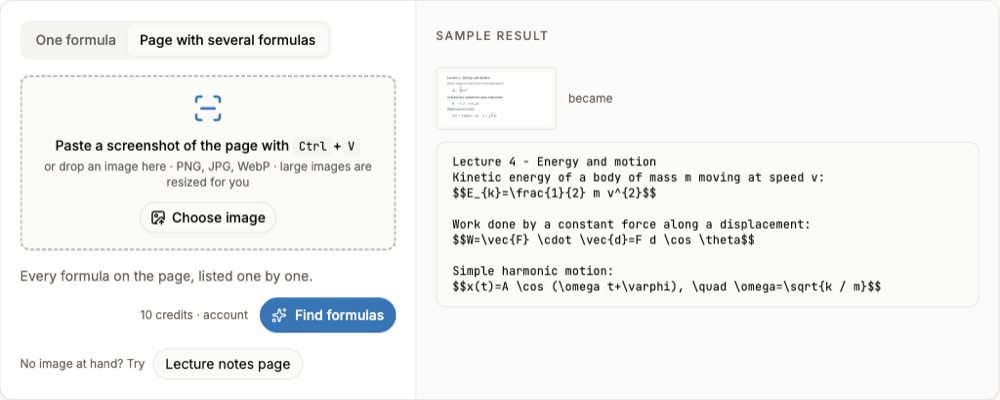
Lecture slides, textbook pages and handwritten notes can be turned into Markdown with the math already in $…$: paste a screenshot into image to Markdown and copy the result into your notes.
FAQ
- How do I write LaTeX in Markdown?
- Use
$…$for inline math and$$…$$on separate lines for display math, in an editor that renders math. - Does GitHub support LaTeX in Markdown?
- Yes. README files, issues and wikis render
$…$,$$…$$and math code blocks with MathJax. - Why does my formula show with dollar signs?
- The viewer does not render math, or the Markdown parser changed the formula first. Try a math code block or check the tool's math settings.
- Can I use Markdown in LaTeX?
- Yes, with the markdown package (LuaLaTeX or shell escape), or convert files with Pandoc.
Sources
Related guides
- LaTeX in NotionBlock and inline equations in Notion, KaTeX limits, and getting LaTeX from a screenshot.
- OneNote Handwriting to TextLasso Select and Ink to Text in OneNote, where it is missing, and paper notes.
- Google Lens Handwriting to TextGoogle Lens Text mode for handwritten notes, and what to use when the notes contain math.