
How to Convert a Textbook Equation to LaTeX
By imagetolatex team · Published
Printed textbook equations convert to LaTeX reliably when the photo is flat and sharp. Press the page flat, photograph it straight on, crop to the equation, and paste it into a math OCR converter. Printed single equations are free to convert within a daily limit; check the preview for the few symbols OCR tends to confuse.
Capture the page
- Flatten the curve. Equations near the spine bend; press the book open or use a phone scanner app that flattens pages.
- Light evenly. Avoid your own shadow across the page; daylight from the side works well.
- Crop to one equation before converting, so surrounding text is not mixed in.
- PDF textbook? Take a screenshot instead of a photo; it is sharper.
Convert and check
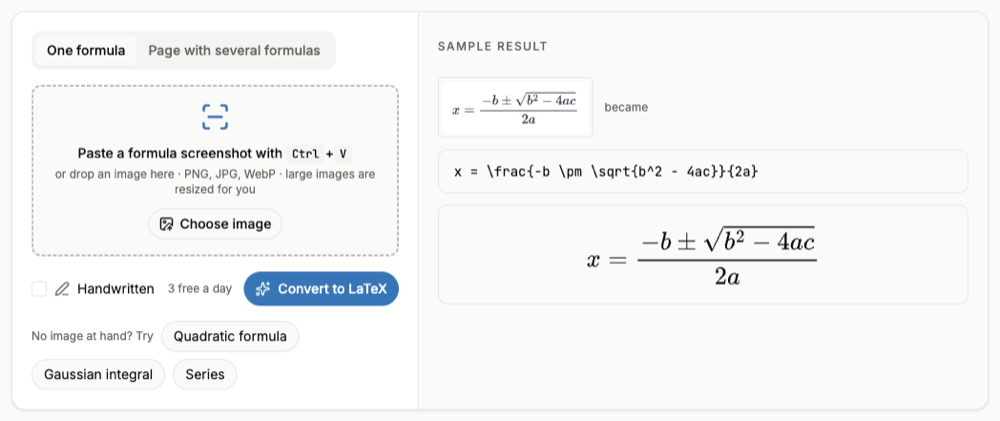
- Step 1: Paste or uploadOpen the equation to LaTeX converter and paste the image with Ctrl+V or drop the file.
- Step 2: ConvertPrinted single equations use the free engine within a daily limit, no account needed.
- Step 3: Check the usual suspectsCompare the preview with the book:
\nuvs v,\epsilonvs ∈,lvs 1, primes vs apostrophes, and bold vectors. - Step 4: CopyCopy LaTeX for Overleaf or Markdown, Copy for Word for a Word equation.
A page of worked examples
For a page with many equations, switch to Page with several formulas: the formulas are listed one by one and you can copy the page as Markdown with LaTeX math. For a whole chapter in PDF form, the PDF to LaTeX converter returns a .tex project for Overleaf.
Textbooks are copyrighted. Converting equations for your own notes and homework is common practice; republishing large parts of a book is not.
FAQ
- How accurate is it on printed equations?
- Printed math is the easiest case for OCR, but no OCR is perfect. Check the preview; if something is off, fix it in the code box or re-run with the high-accuracy engine.
- Can it read equations with matrices?
- Yes. Matrices come back as LaTeX matrix environments, and multi-line equations inside an
alignedenvironment. - Does it work on a phone?
- Yes, the converter runs in the mobile browser; take the photo and upload it.
- What about handwritten solutions in the margin?
- Tick Handwritten for those; handwriting needs a free account and a credit per image.