
Whiteboard Equation to LaTeX
By imagetolatex team · Published
To turn a whiteboard equation into LaTeX, take a straight-on photo without glare, crop it to the equation you need, and convert it with a handwriting-capable math converter. Then compare the rendered preview with the board before you copy the LaTeX: marker handwriting is easy to misread, and one wrong subscript changes the meaning.
Take a photo that converts well
- Stand square to the board. An angled photo squeezes symbols on one side; hold the phone parallel to the board.
- Kill the glare. Overhead lights reflect on whiteboards. Step a little to the side, or turn off the light nearest the board.
- Fill the frame with the math. Get close enough that the equation takes most of the photo. Zoom a little rather than cropping a tiny area later.
- One equation or one line of a derivation per photo gives the cleanest result. A board full of work is better split into several photos.
Convert it
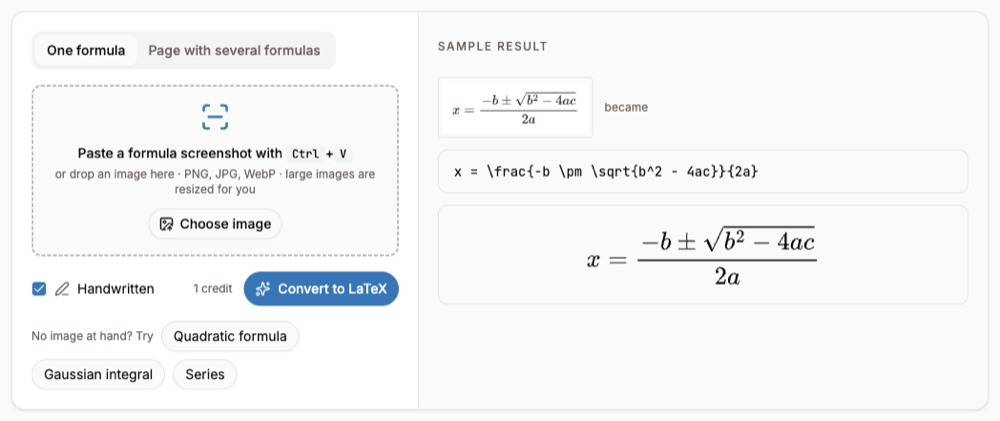
- Step 1: Open the handwriting converterGo to Handwritten Math to LaTeX; Handwritten is already ticked.
- Step 2: Upload or paste the photoDrop the photo in, choose it from your files, or paste it with Ctrl+V. Handwriting uses the high-accuracy engine, so it needs a free account and a credit per image.
- Step 3: Check against the boardRead the preview symbol by symbol. Common mix-ups on whiteboards: 1 and 7, z and 2, x and ×, a missing minus sign.
- Step 4: Fix and copyEdit any symbol in the code box, then Copy LaTeX, or Copy for Word for a Word equation.
A whole board of notes
For a board with several equations and words, switch to Page with several formulas: each formula is listed separately with its own preview and you can export the ones you want to Word. For notes that are mostly text, the handwriting to text converter keeps the sentences and turns the math into LaTeX.
FAQ
- Can it read messy handwriting?
- Clear, separated symbols work best. Overlapping or very small writing can come out wrong, which is why the preview sits next to the code.
- Why does a whiteboard photo need an account?
- Handwriting is read by the high-accuracy engine, which costs more to run than the free engine for printed formulas.
- Does it work with blackboards?
- Yes, chalk on a dark board works if the photo is sharp and evenly lit. Avoid heavy shadows across the board.
- Is my photo stored?
- The photo is read and discarded; only the LaTeX result is kept in your history.