
How to Paste ChatGPT Equations into Google Docs
By imagetolatex team · Published
Google Docs cannot turn pasted ChatGPT math into equations; you get LaTeX code or scrambled symbols. Paste the LaTeX between $$ signs and render it with the Auto-LaTeX Equations add-on, retype short formulas with Insert > Symbols > Equation, or insert each formula as an image rendered from its LaTeX.
Method 1: $$ LaTeX + Auto-LaTeX Equations
- Step 1: Ask ChatGPT for $$ delimitersPrompt: "Write every equation in LaTeX between $$ and $$, not in code blocks."
- Step 2: Paste into the DocCopy the answer and paste it with Ctrl+Shift+V (paste without formatting) so the code stays intact.
- Step 3: RenderInstall Auto-LaTeX Equations from Extensions > Add-ons, start it and click Render Equations.
The formulas become images generated from the code; the add-on can switch them back to code if you need to edit.
Method 2: retype short formulas
For one or two short formulas, Insert > Symbols > Equation with backslash shortcuts (\frac, \sqrt, \pi) is quick and keeps them editable in Docs. Steps: How to Insert an Equation in Google Docs.
Method 3: formula images, no add-on
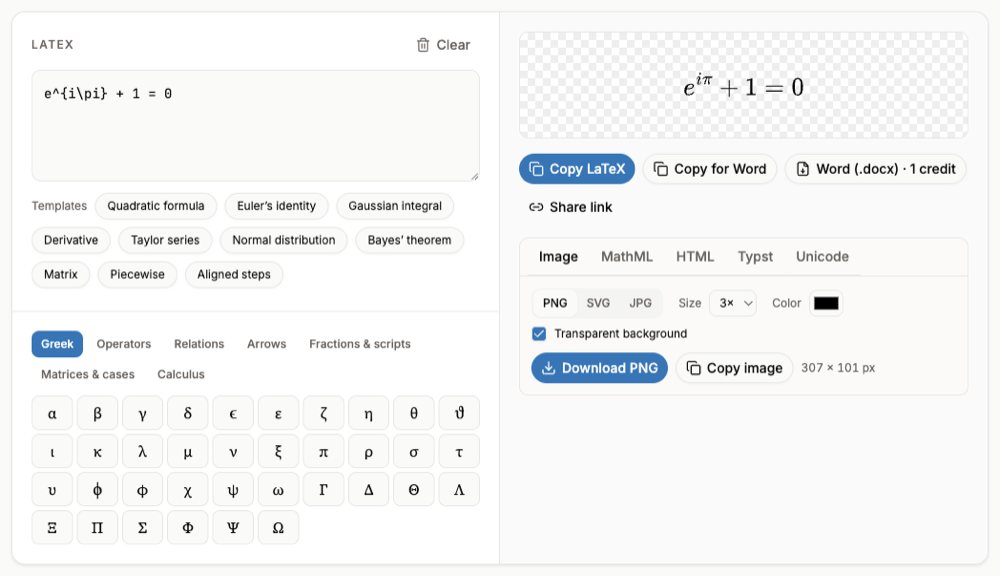
- Step 1: Paste the LaTeXPaste one formula into LaTeX to PNG;
$$delimiters are ignored. - Step 2: Download a PNGChoose a size of 3x or more and download.
- Step 3: Insert itIn Docs choose Insert > Image > Upload from computer. Add the LaTeX as alt text.
FAQ
- Why does ChatGPT math look wrong in Google Docs?
- Docs receives text, not equations, and it has no LaTeX renderer of its own.
- Which method keeps the math editable?
- The built-in equation editor (method 2). The add-on keeps the LaTeX so you can re-render; images must be regenerated to change.
- Would Word be easier?
- Word for Microsoft 365 accepts LaTeX inside equations, and Copy for Word pastes finished equations. See How to Copy ChatGPT Equations to Word.
- Can I do this on a school account?
- If add-ons are blocked by your school, use methods 2 or 3, which need no install.