
How to Insert an Equation in Google Docs
By imagetolatex team · Published
To insert an equation in Google Docs, click where it should go and choose Insert > Symbols > Equation. An equation box appears with a toolbar of Greek letters, operators, relations, math operators and arrows. You can also type a backslash command such as \alpha followed by a space to insert a symbol without the menus.
Insert an equation
- Step 1: Open the documentOpen the file in Google Docs on a computer and click where the equation should go.
- Step 2: Open the equation menuChoose Insert > Symbols > Equation. A box for the equation appears at the cursor.
- Step 3: Add symbolsPick symbols from the toolbar menus: Greek letters, Miscellaneous operations, Relations, Math operators and Arrows.
- Step 4: Fill in numbers and variablesType into the box; structures such as fractions have slots you move between with the arrow keys.
- Step 5: Add another equationClick New equation on the toolbar. If the toolbar is hidden, choose View > Show equation toolbar.
Type faster with backslash shortcuts
Inside an equation box, type \ followed by a symbol name and a space. Google's example: \alpha inserts α. The same works for many LaTeX-style names:
| Type, then Space | Result |
|---|---|
\frac | A fraction with a numerator and denominator slot |
\sqrt | A square root |
\sum, \int | Sum and integral signs |
\alpha, \pi, \theta | Greek letters |
\le, \ge, \neq | ≤, ≥, ≠ |
For superscripts and subscripts, Google's help says to type \ and then press Shift+6 (for ^) or Shift+- (for _). Press the right arrow key to leave a script or a fraction slot.
If you have LaTeX, not a formula to type
Google Docs does not accept pasted LaTeX in an equation box: the whole string stays as text. There are two practical routes:
- An add-on such as Auto-LaTeX Equations renders LaTeX written between
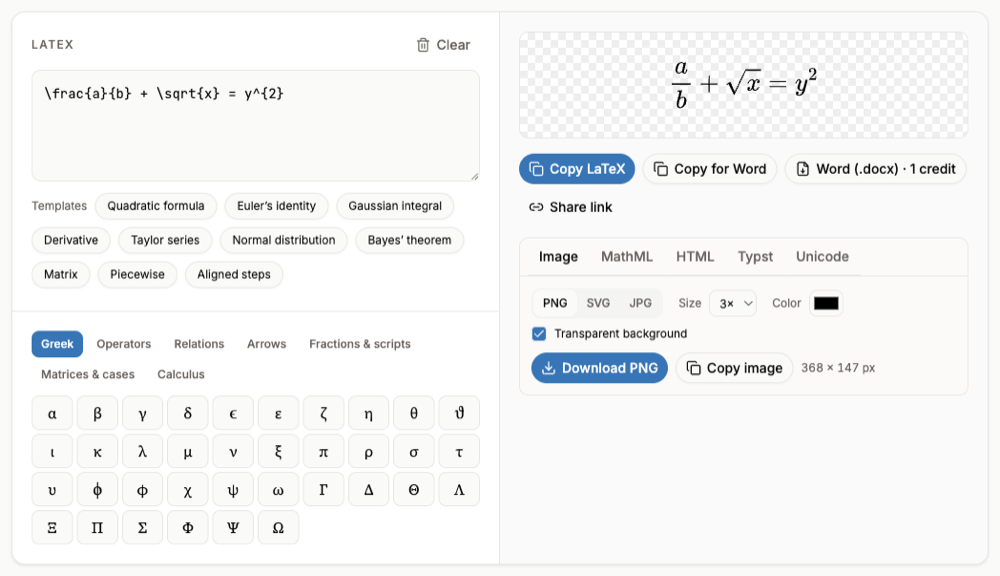
$$signs in the document as images. See LaTeX in Google Docs. - A formula image: render the LaTeX as a PNG in LaTeX to PNG and add it with Insert > Image > Upload from computer. It looks exactly like the LaTeX output, but is not editable in Docs.
FAQ
- Is there a shortcut to insert an equation in Google Docs?
- Google's help page lists no keyboard shortcut for a new equation. Use Insert > Symbols > Equation; inside the box, backslash shortcuts such as
\fracspeed up typing. - Can I insert equations in the Google Docs mobile app?
- Google's help page has separate instructions for Android and for iPhone and iPad; the menus differ from the computer version described here.
- How do I write a matrix in Google Docs?
- The built-in editor has no matrix template. Use an add-on or insert the matrix as an image rendered from LaTeX (
\begin{pmatrix} a & b \\ c & d \end{pmatrix}). - Why can I not paste an equation from Word into Google Docs?
- The two editors use different equation formats, so pasted equations can arrive as plain text or not at all. Rebuild short ones with the equation editor, or insert longer ones as images rendered from LaTeX.