
How to Insert Equations in Word Without MathType
By imagetolatex team · Published
You do not need MathType to write equations in Word. Word's built-in equation editor (Alt+=) handles fractions, matrices, integrals and scripts, Word for Microsoft 365 accepts LaTeX input, and Ink Equation reads handwriting. The one thing MathType is still needed for is editing old Equation Editor 3.0 or MathType objects.
1. The built-in equation editor
Press Alt+= (Control+= on a Mac) or choose Insert > Equation. Build the math from the Equation tab or type it: a/b then Space for a fraction, x^2 for a superscript, \alpha for α. Full details: Microsoft Word Equation Editor and Word Equation Shortcuts.
2. LaTeX input (Microsoft 365)
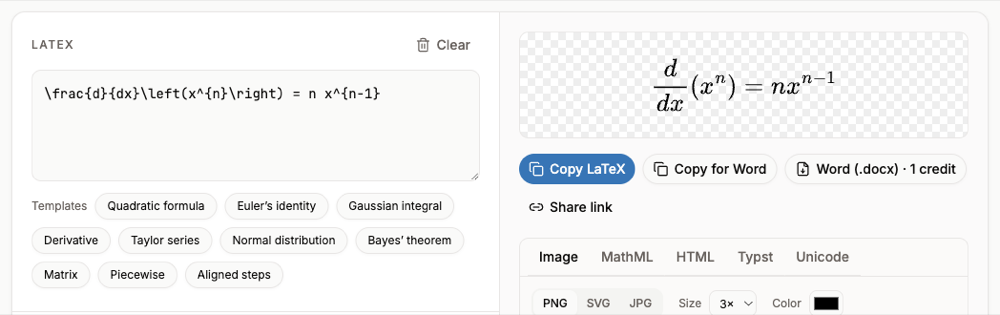
In an equation, choose LaTeX in the Conversions group, type LaTeX such as \frac{d}{dx}x^n = nx^{n-1}, and choose Convert > Professional. See How to Type LaTeX in Word.
3. Ink Equation
Open the arrow under Insert > Equation and choose Ink Equation. Write with a pen, finger or mouse, correct any misread symbol, and click Insert.
4. From a picture of the equation
For equations in screenshots, scans or old documents, paste the image into the image to LaTeX converter, check the preview, and Copy for Word. The result is a native Word equation, editable without any add-in. Single printed formulas are free within a daily limit.
When you still need MathType
Microsoft removed Equation Editor 3.0 from Word in 2018. Existing Equation 3.0 objects still display, but Microsoft says they can be edited only with MathType. If you receive such a document and only need to change a few equations, recreating them with the built-in editor (or from a screenshot, as above) avoids buying MathType.
FAQ
- Is the Word equation editor as good as MathType?
- For most coursework and papers, yes: it covers structures, symbols, matrices and numbering. MathType adds extras such as more export formats and legacy object editing.
- Can I get MathType for free?
- MathType is a commercial product from Wiris; check their site for pricing and trial terms. Word's built-in editor comes with Word at no extra cost.
- Why will Word not let me insert an equation?
- Usually because the file is an old .doc in Compatibility Mode. Save it as .docx and the Equation button becomes available.
- Do Word equations work in Google Docs?
- Not reliably when copied. Use Google Docs' own editor; see How to Insert an Equation in Google Docs.